Security cameras are meant to protect your business, not expose it. Yet every year, thousands of businesses and homes unknowingly leave their security cameras open to hackers, data leaks, and unauthorized viewing. These incidents are rarely caused by advanced cyberattacks. Most camera leaks happen due to simple configuration mistakes that can be prevented.
If your business or home uses IP cameras, cloud-based surveillance, or remote camera access, this guide explains exactly how leaks happen and what you should be doing to avoid becoming the next security incident.
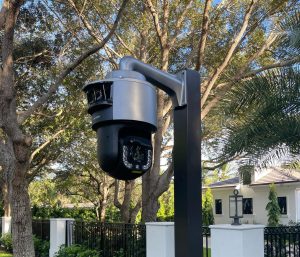
Why security camera leaks are so common in South Florida
Many businesses install security cameras and assume they are secure by default. In reality, most cameras are deployed quickly, connected to the network, and never reviewed again. In Miami, Broward, and Palm Beach, we regularly see cameras installed by non-IT vendors, electricians, or office managers without cybersecurity oversight.
Common issues include default passwords, outdated firmware, open network ports, and cameras connected directly to the main business network. These missteps make it easy for attackers to discover and access live video feeds.
How to know if your security cameras were compromised
Many businesses and homes do not realize their security cameras were leaked until long after it happens. Common warning signs include cameras moving on their own, settings changing without authorization, new users appearing in the camera dashboard, or login alerts from unfamiliar locations. You may also notice unusual network activity, such as cameras generating outbound traffic at odd hours or consuming excessive bandwidth. In some cases, business owners and homeowners discover the issue when vendors notify them of suspicious activity or when footage appears online without their consent. If your cameras have never been audited, passwords were never changed, or remote access was enabled by default, there is a strong possibility your system has already been exposed.
The most effective ways to prevent security camera leaks
Change default credentials immediately
One of the biggest causes of camera leaks is unchanged default usernames and passwords. Hackers actively scan the internet looking for cameras still using factory credentials. Every camera, recorder, and cloud account should have a strong, unique password that is never reused.
If the camera platform supports multi-factor authentication, it should be enabled for all admin accounts.
Isolate cameras from your business network
Security cameras should never be on the same network as workstations, servers, or medical systems. Cameras should be placed on a separate VLAN or isolated network segment. This prevents attackers from using a compromised camera as a gateway into your business systems.
Network isolation is especially important for healthcare, legal, and professional offices across Miami and Broward where compliance and data protection are critical.
Disable unnecessary remote access
Many camera leaks happen because remote access is enabled by default. Open ports, UPnP, and public RTSP streams expose cameras directly to the internet.
Remote access should be disabled unless absolutely necessary. When remote viewing is required, access should be done through a secure VPN or managed remote access solution instead of open ports.
Keep camera firmware and apps updated
Outdated firmware is a major security risk. Camera manufacturers regularly release updates to fix vulnerabilities that attackers actively exploit.
Businesses should schedule regular firmware updates for cameras, NVRs, and companion apps. If updates are not applied, known vulnerabilities remain open indefinitely.
Secure cloud storage and vendor accounts
Many modern camera systems store footage in the cloud. If cloud storage permissions are misconfigured, video files can become publicly accessible.
Vendor accounts should be reviewed to ensure:
Access is limited to authorized users only
Old users are removed
Cloud storage is private and encrypted
API access is restricted
This is especially important for multi-location businesses that share access across teams.
Monitor camera activity and network traffic
Security cameras should not operate silently in the background. Monitoring login attempts, unusual traffic, and outbound connections helps identify issues early.
Alerts for failed login attempts or unexpected access locations can prevent long-term exposure before footage is leaked or misused.
A simple camera security checklist for Miami-area businesses
☐Change all default passwords
☐Enable multi-factor authentication
☐Isolate cameras on a separate network
☐Disable public remote access
☐Use VPN for remote viewing
☐Apply firmware updates regularly
☐Audit cloud storage permissions
☐Monitor logs and alerts
If any of these steps are missing, your cameras may already be exposed.
How we help businesses and homes in Miami, Broward, Fort Lauderdale or Palm Beach
We help local businesses secure their security camera systems from end to end. Our camera security services include a full camera and network audit, credential and access hardening, network segmentation, secure remote access setup, firmware management, and ongoing monitoring.
Instead of reacting after a breach, we help businesses prevent leaks before they happen.
If your cameras were installed years ago or have never been reviewed by an IT professional, now is the time.
Contact us or call us at +1 305-256-2024 to schedule your security camera audit and ensure your business in Miami, Broward, Fort Lauderdale or Palm Beach is protected.