
The Most Common Trick Scammers Use in Phishing Emails (And Why It Works So Well)
Phishing attacks continue to be one of the most successful cyber threats facing businesses and individuals. While cybercriminals use various tactics to steal credentials, financial information, and sensitive data, one technique stands above the rest:
Urgency.
Scammers create a false sense of urgency to pressure recipients into acting before they have time to think critically. Messages such as "Your account will be suspended," "Reset your password immediately," or "Payment overdue. Act today" are designed to trigger fear and encourage immediate action.
When people feel rushed, they are less likely to verify the sender, inspect links, question attachments, or consider whether the request is legitimate.
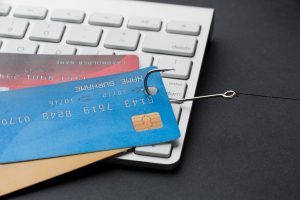
Quick Answer: What Is the Most Common Trick Used in Phishing Emails?
The most common phishing tactic is creating urgency. Cybercriminals use alarming messages that suggest immediate action is required to prevent account suspension, financial loss, security issues, or missed opportunities.
The goal is simple: convince the recipient to react emotionally rather than think logically.
Key Takeaways
- Urgency is the most common tactic used in phishing emails.
- Attackers create fear and pressure to encourage quick decisions.
- Common phishing messages involve account suspensions, password resets, invoices, and payment issues.
- Most phishing attacks succeed because of human behavior, not advanced technology.
- Employee awareness remains one of the strongest defenses against phishing.
- Antivirus software helps, but users should always verify emails before clicking links or downloading attachments.
Why Do Phishing Emails Create a Sense of Urgency?
Cybercriminals understand human psychology.
When people believe something important is at risk, they often prioritize speed over caution. Attackers exploit this natural response by creating situations that appear time-sensitive.
Examples include:
- Your account will be suspended within 24 hours.
- Reset your password immediately.
- Payment overdue. Act today.
- Download the document now.
- Unusual sign-in detected.
- Your mailbox has exceeded storage limits.
- Immediate action required.
These messages are designed to create anxiety and push users toward making quick decisions.
The faster someone reacts, the less likely they are to notice warning signs.
What Are Scammers Trying to Accomplish With Urgent Emails?
The urgency itself is not the attack.
It is simply the mechanism used to convince victims to take actions that benefit the attacker.
Stealing Login Credentials
Many phishing emails direct users to fake login pages that imitate trusted services such as Microsoft 365, banking portals, cloud applications, or email providers.
Victims enter their usernames and passwords, unknowingly handing them directly to cybercriminals.
Delivering Malware
Attackers often disguise malicious files as:
- Invoices
- Contracts
- Shipping notifications
- Tax documents
- Financial reports
- Purchase orders
Once opened, these files may install malware capable of stealing information, monitoring activity, or launching ransomware attacks.
Collecting Sensitive Information
Some phishing campaigns aim to gather:
- Credit card details
- Banking information
- Social Security numbers
- Business credentials
- Customer data
The stolen information can then be sold, used for fraud, or leveraged in future attacks.
Why Do Phishing Attacks Continue to Work?
Many people assume successful phishing attacks must be highly sophisticated.
The reality is often very different.
Security professionals regularly encounter phishing emails containing:
- Spelling mistakes
- Poor grammar
- Generic greetings
- Suspicious formatting
- Obvious warning signs
Yet these attacks still succeed.
What makes them effective is not technical complexity. It is the emotional pressure they create.
When users feel rushed, they often bypass the security checks they would normally perform.
What Are the Warning Signs of a Phishing Email?
Recognizing phishing indicators can significantly reduce your risk of becoming a victim.
Unexpected Requests
Be cautious when receiving emails about password resets, invoices, account issues, or security alerts that you were not expecting.
Pressure to Act Immediately
Legitimate organizations rarely require instant action without providing alternative ways to verify a request.
Suspicious Sender Addresses
Attackers frequently register domains that closely resemble legitimate companies.
A single missing letter or slight variation can easily go unnoticed.
Generic Greetings
Messages addressed to "Valued Customer" or "Dear User" are common signs of mass phishing campaigns.
Unusual Links and Attachments
Before clicking any link, inspect the destination carefully.
If the link looks unfamiliar or does not match the organization it claims to represent, do not click it.
Why Are Businesses Frequent Targets of Phishing Attacks?
Businesses are attractive targets because employees have access to valuable information and systems.
A successful phishing attack can result in:
- Data breaches
- Financial losses
- Ransomware infections
- Business email compromise
- Regulatory violations
- Operational downtime
- Reputational damage
A single compromised account may provide attackers with access to customer records, financial systems, confidential communications, or sensitive company data.
This is why phishing remains one of the leading causes of cybersecurity incidents worldwide.
How Can Businesses Protect Against Phishing?
Technology plays an important role, but it cannot stop every attack.
Organizations should implement multiple layers of protection.
Security Awareness Training
Employees should regularly learn how to identify phishing attempts and recognize common warning signs.
Multi-Factor Authentication
Even if credentials are stolen, multi-factor authentication can help prevent unauthorized access.
Advanced Email Security
Modern email filtering solutions can block many phishing messages before they reach users.
Endpoint Protection
A good antivirus and endpoint detection solution can help stop malicious files from executing on devices.
Regular Security Assessments
Businesses should continuously evaluate their cybersecurity posture and identify potential vulnerabilities.
Questions to Ask Before Clicking Any Email
Before opening an attachment or clicking a link, pause and ask yourself:
✅ Was I expecting this email?
✅ Does the sender look legitimate?
✅ Why is there so much urgency?
✅ Does this request make sense?
✅ Can I verify it through another communication channel?
Taking a few extra seconds to evaluate an email can prevent significant financial and security consequences.
Frequently Asked Questions
What is phishing?
Phishing is a cyberattack in which criminals impersonate trusted organizations to trick people into revealing credentials, financial information, or sensitive data.
Why do phishing emails create urgency?
Urgency encourages emotional reactions and reduces the likelihood that recipients will carefully verify the legitimacy of a message.
What should I do if I clicked a phishing link?
Immediately change any affected passwords, enable multi-factor authentication, notify your IT team, and run a security scan on your device.
Can antivirus software stop phishing attacks?
Antivirus software can help block malicious files and websites, but user awareness remains one of the most effective defenses against phishing.
What industries are most targeted by phishing attacks?
Healthcare, legal, financial, nonprofit, government, and small business organizations are frequent targets because they often handle sensitive information.
How Managed IT Services Help Reduce Phishing Risks
A Managed IT Services provider can help organizations strengthen their defenses against phishing through:
- Security awareness training
- Advanced email protection
- Endpoint security solutions
- Multi-factor authentication deployment
- Continuous monitoring
- Incident response support
- Security assessments and vulnerability management
Combining technology with employee education creates a much stronger defense against modern phishing attacks.
Final Thoughts
The most common trick scammers use in phishing emails is urgency.
Cybercriminals rely on fear, pressure, and time-sensitive messaging to convince people to act before thinking. Messages about account suspensions, password resets, overdue payments, and urgent security alerts are specifically designed to bypass critical thinking and trigger immediate action.
While antivirus software and email security tools provide valuable protection, awareness remains your first line of defense. The next time an email demands immediate action, take a moment to pause, verify the request, and ask questions before clicking.
That brief pause could prevent a costly cybersecurity incident.


