
How Many Security Cameras Does a Business Actually Need?
If you're considering security cameras for your business, one of the first questions you'll probably ask is: How many cameras do we actually need?
It sounds like there should be a simple answer. A small office needs four cameras, a warehouse needs twelve, and a retail store needs eight. Done.
But it doesn't really work that way.
The right number depends less on the size of your business and more on what you need to see, where you need to see it, and how much detail you need from each camera.
A camera covering an entire parking lot, for example, won't provide the same level of detail as a camera positioned directly over a cash register. Both are useful, but they're doing very different jobs.
So before you start counting cameras, it's better to start with the areas that matter most.
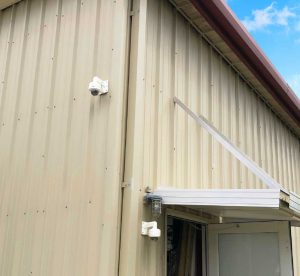
Start With What You Need to Monitor
Walk through your business and think about where security cameras would actually be useful.
Common areas include:
- Main entrances and exits
- Reception and waiting areas
- Parking lots and garages
- Loading docks
- Cash registers and payment areas
- Storage rooms
- Warehouses
- Hallways and other access points
- Employee-only areas
- Exterior doors and building entrances
- Areas where valuable equipment or inventory is kept
You don't necessarily need a camera pointed at every square foot of your property.
The goal is to have enough coverage to monitor important areas without creating a system that's unnecessarily complicated or expensive to maintain.
Think About Camera Coverage, Not Just Camera Count
Two businesses with the same floor space could need completely different surveillance systems.
Imagine a 5,000-square-foot office with a single entrance, a small parking area, and mostly open workspaces.
Now compare that with a 5,000-square-foot jewelry store with several entrances, display cases, a stockroom, and a parking area.
They're the same size, but their security needs are completely different.
The second business may need more cameras because there are more areas where something could happen and more locations where detailed video may be important.
That's why simply saying "one camera covers X square feet" can be misleading.
Where Should You Put the Cameras?
Camera placement can make a bigger difference than adding more cameras.
For example, placing a camera too far away from a doorway may let you see that someone entered the building without giving you enough detail to identify the person.
Similarly, a camera covering a large parking lot might show vehicles moving through the area but provide limited detail about license plates or individual faces.
Before installing a camera, consider:
What do we need to see here?
Do you need a general view of the area, or do you need enough detail to identify a person, vehicle, package, or transaction?
That answer can determine the type of camera, lens, resolution, and placement you need.
Don't Forget Your Entrances and Exits
Entrances are usually among the first areas businesses should consider.
A camera positioned correctly can help document who enters and leaves the building and provide useful information when investigating an incident.
But there's an important detail: where you place the camera matters.
A camera pointed directly toward a bright outdoor area may produce poor images because of glare or changing lighting conditions. A camera mounted too high may capture the top of someone's head instead of useful facial detail.
The goal isn't simply to have a camera near the door. It's to have a camera positioned to capture the information you actually need.
Parking Lots Can Be Trickier Than They Look
Outdoor areas often require more planning than indoor spaces.
Lighting changes throughout the day, vehicles move around, weather can affect visibility, and large areas may require cameras with wider fields of view.
You may need one camera to provide an overall view of the parking lot and additional cameras focused on entrances, gates, or specific areas where more detail is important.
Again, adding cameras isn't always the solution. Choosing the right camera and positioning it correctly can sometimes provide better coverage than simply installing more devices.
What About a Small Business?
A smaller business doesn't necessarily need a large surveillance system.
A small office might only need cameras covering the main entrance, reception area, exterior, and perhaps a parking area.
A small retail business may need additional coverage around sales areas, registers, stockrooms, and entrances.
The important thing is to prioritize.
If you have a limited budget, start with the locations where video would be most valuable. You can always expand the system later if your business grows or your security needs change.
What About Large Businesses?
Larger properties usually require more planning because there are more areas to cover.
A warehouse, for example, may have multiple entrances, loading docks, storage aisles, employee areas, and exterior zones.
Instead of simply adding cameras until everything looks covered, it's better to create a surveillance plan that identifies critical areas and potential blind spots.
This can also help determine whether you need different types of cameras throughout the property.
A wide-angle camera might work well for an open area, while a camera with a narrower field of view could be more appropriate for monitoring a specific entrance or doorway.
More Cameras Don't Always Mean Better Security
It's tempting to think that installing more cameras automatically creates a better security system.
Not necessarily.
If cameras overlap unnecessarily, aren't positioned correctly, produce poor images, or aren't being monitored and maintained, adding more equipment won't solve the underlying problem.
There's also the practical side to consider. More cameras mean more network traffic, more storage requirements, more equipment to maintain, and more footage to review when something happens.
The goal should be useful coverage, not the highest possible camera count.
Don't Forget About Blind Spots
Once you have a proposed camera layout, look for areas that aren't visible.
Walk through the property and ask:
- Is there an entrance that isn't covered?
- Can someone approach a door without being recorded?
- Are there areas blocked by walls, shelves, signs, or equipment?
- Does lighting change significantly at night?
- Can a person move from one monitored area to another without appearing on camera?
- Are important transactions visible in enough detail?
These questions can reveal gaps that aren't obvious when looking at a floor plan.
Security Cameras Need More Than the Right Placement
Choosing the right number of cameras is only part of the equation. You also need to think about how those cameras connect to your business network and how access to the footage is controlled.
Each camera needs a reliable connection to communicate with the recording system or cloud platform. As you add cameras, you're also adding devices to your network and potentially increasing bandwidth and storage requirements.
The network infrastructure may need to account for things such as PoE switches, cabling, bandwidth, recording equipment, and remote access. It's also important to think about preventing security camera leaks, especially when cameras can be accessed remotely or connected to the internet.
That's one reason camera installation shouldn't be treated as completely separate from your IT environment. Security cameras are connected devices, so they should be configured and maintained with the same attention you would give other technology on your business network.
So, How Many Cameras Does Your Business Need?
There's no universal number.
A small office might be adequately covered with a handful of strategically placed cameras, while a warehouse or retail property could require considerably more.
The better question isn't:
"How many cameras should we buy?"
It's:
"What areas do we need to monitor, and what do we need each camera to capture?"
Once you answer that, the number of cameras becomes much easier to determine.
A professional site assessment can help identify critical areas, camera locations, blind spots, lighting conditions, network requirements, and the type of equipment that's appropriate for each location.
Because when it comes to business surveillance, five cameras in the right places can be far more useful than ten cameras in the wrong ones.
Not sure how many cameras your business actually needs?
BizNet can help you plan a system around your property and coverage needs.


