
Planning a Security Camera Installation for Your Business? Start With These 7 Decisions
Setting up an office network involves more than just connecting computers. It requires careful planning to ensure all your technology devices, including printers, wireless access points, VoIP phones, security cameras, and other equipment, are properly connected and work together seamlessly.
A properly planned cabling system provides the physical connections that allow your business technology to communicate and work together. It also makes it easier to organize your network, troubleshoot connectivity issues, and accommodate new equipment as your company grows. On the other hand, an installation that hasn't been planned carefully can leave you with limited connections, disorganized cables, difficult maintenance, and additional installation costs when your needs change.
Whether you're moving into a new office, renovating your current workspace, or upgrading an existing network, choosing the right cabling and installer is an important decision. Before requesting a quote, here are seven things worth understanding about commercial network cabling.
1. Understand What Your Office Needs to Connect
Before choosing cables or discussing installation costs, take some time to identify the devices and areas that will need network connections. Every office has different requirements depending on its size, number of employees, layout, and the technology used throughout the workplace. A small professional office, for example, may need connections for computers, printers, and wireless access points, while a larger business could also require network connections for VoIP phones, security cameras, conference room systems, and other equipment.
Think about how your employees use the space and where they need access to the network. Workstations may require multiple connections, conference rooms might need dedicated network outlets for video conferencing equipment, and wireless access points should be positioned to provide coverage throughout the office. You should also consider equipment located in shared spaces, reception areas, storage rooms, or other areas that may not be part of the main workspace.
Planning these connections before installation helps avoid having to run additional cables later. If you expect to hire more employees, rearrange workstations, or introduce new technology, it may be worth including extra network outlets or capacity in the initial design. Professional structured cabling services can help you organize these connections around your office layout and current infrastructure requirements.
2. Choose the Right Type of Network Cable
Not all network cables offer the same performance, and selecting the right type depends on the equipment you use, the speed your network needs to support, and how you expect your business technology to develop. Two common options for commercial Ethernet installations are Cat6 and Cat6A. Both are designed to support modern business networks, but they have different performance capabilities that should be considered before installation.
Cat6 cabling is widely used in office environments because it supports Gigabit Ethernet over standard channel distances and can also support 10 Gigabit Ethernet over shorter distances under suitable conditions. For businesses connecting everyday office equipment, such as computers, printers, and compatible network devices, Cat6 may provide sufficient performance without requiring a more advanced cabling category.
Cat6A, on the other hand, is designed to support 10 Gigabit Ethernet over a full 100-meter channel. This makes it an option worth considering for businesses that require higher network capacity or want to prepare their infrastructure for more demanding applications. However, Cat6A cables are generally thicker and can require more space and careful handling during installation, so the decision should take the building layout and installation requirements into account.
Fiber optic cabling is another option, particularly when connections need to cover longer distances or support high-bandwidth communication between network rooms, floors, or separate buildings. Unlike traditional copper Ethernet cables, fiber transmits data using light, making it suitable for certain network backbone connections and environments with demanding distance or bandwidth requirements.
There isn't one cable type that is automatically the best choice for every business. A qualified installer should consider your existing network equipment, cable distances, expected traffic, and future requirements before recommending a solution. Choosing the right infrastructure from the beginning can help prevent unnecessary upgrades as your business changes.
3. Plan Your Cable Routes Before Installation
Knowing where your computers and other devices will be located is only part of the planning process. You also need to determine how the cables will reach those locations and where they will be installed throughout the building. Depending on the office construction, network cables may need to run through walls, ceilings, conduits, cable trays, or designated pathways that connect workstations to a central equipment area.
Cable routing should be planned with both accessibility and protection in mind. Cables that are left exposed, poorly supported, or installed without considering the surrounding environment can become difficult to maintain and may be more vulnerable to physical damage. In some situations, routing cables too close to electrical wiring or other sources of interference can also affect network performance, depending on the installation conditions and applicable requirements.
Before installation begins, discuss the available cable pathways, the location of your network equipment, and any obstacles that could affect the project. Some buildings already have conduits or pathways that can be reused, while others may require additional infrastructure. You should also check whether the property has specific requirements for drilling, ceiling access, or work in shared areas.
Building and fire-safety requirements are important as well. For example, certain spaces used for environmental air handling may require cables with specific jacket ratings. A professional installer should understand these requirements and select materials appropriate for the installation environment. Planning the routes in advance helps avoid unnecessary modifications and makes the finished cabling system easier to manage.
4. Make Sure Your Network Room Is Properly Planned
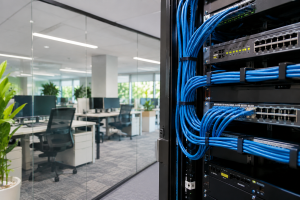
Your office cabling needs a central location where network connections can be organized and connected to the appropriate equipment. Depending on the size of your business, this may be a dedicated network room, a telecommunications closet, or an equipment rack installed in a designated area. This space typically houses equipment such as network switches, patch panels, routers, and other devices that support your business connectivity.
Although it may not be an area employees visit regularly, the network room plays an important role in keeping your office connected. It should have enough room for the equipment currently in use, with some additional capacity if your business expects to expand. Ventilation and temperature control are also important because network equipment generates heat while operating. Without appropriate environmental conditions, equipment may experience performance problems or a shorter operating lifespan.
Organization is another consideration. Patch panels and cable management accessories help keep connections arranged and make it easier to identify individual cables when troubleshooting or adding devices. Instead of having cables running directly from equipment to different areas of the office without a clear structure, an organized network rack provides a central point for managing connections.
You should also consider the room's power requirements and physical security. Network equipment needs suitable electrical connections, and critical devices may benefit from backup power to help maintain operation during certain outages. Access to the equipment should also be limited to authorized personnel to reduce the risk of accidental disconnections or unauthorized changes. Discussing these details with your installer can help ensure that the cabling infrastructure and equipment location work together properly.
5. Consider Power Over Ethernet for Your Devices
Some office devices need both a network connection and a power source, which can make installation more complicated if each device requires a separate electrical connection. Power over Ethernet, commonly known as PoE, offers another option by allowing compatible Ethernet cables to carry both data and electrical power through a single connection.
This technology is commonly used with IP security cameras, wireless access points, VoIP phones, and certain access control devices. For example, a compatible security camera can receive power and transmit video through the same Ethernet cable when connected to suitable PoE equipment. This can simplify installation, reduce the number of separate power connections required, and provide more flexibility when deciding where devices should be positioned.
However, PoE has specific technical requirements. Your network switches must support the appropriate PoE standard and provide enough total power for all connected devices. The power requirements of individual cameras, access points, or phones should be considered when selecting network equipment. Simply having a PoE switch doesn't guarantee that it can support every device connected to it.
If your business plans to install security cameras, wireless access points, or IP phones, it's worth discussing PoE requirements during the cabling assessment. You can also explore BizNet's security camera installation services to learn more about connecting camera systems as part of your business infrastructure.
6. Ask How the Cables Will Be Labeled and Tested
Once your office has multiple network connections, identifying where each cable goes can become difficult if the installation isn't properly organized. Imagine needing to troubleshoot a workstation or replace a network switch but having no clear way to identify which cable connects to a particular room or device. This can turn a simple maintenance task into a time-consuming process.
That's why cable labeling should be part of the installation plan. A consistent labeling system makes it easier to trace connections between network outlets, patch panels, and equipment. It also helps technicians understand how the network is organized when your business needs additional connections or changes to its infrastructure.
Testing is equally important. After installation, network cabling should be checked to verify that the connections meet the requirements of the selected cable category. Depending on the project, testing can include wire mapping, continuity checks, and performance certification. These tests help identify installation problems that may not be immediately visible but could affect connectivity or network performance later.
Before accepting the completed project, ask your installer what testing will be performed and whether documentation will be provided. You should ideally receive labeled connections, organized patch panels, test results, and a record showing where the network outlets are located. Having this information available makes future maintenance and upgrades much easier for your business.
7. Compare Network Cabling Installers Before Hiring One
Choosing a network cabling installer involves more than comparing prices. The quality of the installation, the materials used, the planning process, and the documentation you receive can all affect how well your network infrastructure performs over time. A proposal with a lower initial cost may not include important work such as cable testing, labeling, additional pathways, or the equipment needed to complete the installation.
Before hiring a provider, ask whether they will assess your office before preparing a proposal. A site assessment allows the installer to review the building layout, identify suitable cable routes, determine where network outlets should be located, and evaluate the existing equipment. It also gives you an opportunity to explain how your business uses its technology and what you expect from the new infrastructure.
You should also ask which type of cabling they recommend and why. A professional installer should be able to explain the differences between available options and how they relate to your network requirements. If your office already has network equipment, make sure the provider considers its compatibility with the planned installation. You don't want to invest in new cabling without knowing whether your existing switches and other devices can support the intended setup.
Finally, clarify what happens after installation. Ask whether cable testing, labeling, documentation, and cleanup are included in the project, and whether support is available if an issue is discovered later. Getting these details in writing helps you compare proposals accurately and understand exactly what your business will receive.
When Does Your Office Need New Network Cabling?
Not every network upgrade requires replacing all the existing cables, but there are situations where a professional assessment can help determine whether your current infrastructure is still suitable. If you're moving into a new office, renovating your workspace, or adding employees and equipment, your existing network connections may no longer match the way your business operates.
You may also want to review your cabling if you are introducing new technology, such as additional wireless access points, IP phones, or security cameras. Changes in network requirements may call for additional connections or different equipment, and existing cables should be inspected and tested before being reused.
Other warning signs include poorly organized wiring, damaged cables, unidentified network connections, and recurring connectivity problems that may be related to the physical network infrastructure. Keep in mind that slow internet or unreliable connections aren't always caused by cabling. Routers, switches, internet service, wireless coverage, and device configuration can also affect performance. A proper assessment helps identify the source of the problem before you spend money replacing equipment or installing new cables.
Professional Network Cabling Installation for Your Business
Your office network supports much more than internet access. It connects the technology your employees rely on to communicate with customers, share information, manage daily operations, and complete their work. As your business grows and introduces new equipment, having an organized cabling infrastructure makes it easier to support those changes without constantly modifying your network from scratch.
BizNet Technology provides structured network cabling and low-voltage cabling solutions for businesses in Miami, Broward, Palm Beach County, and Fort Lauderdale. Whether you're setting up a new office, upgrading existing infrastructure, or adding connections for computers, phones, wireless access points, and security cameras, our team can help you evaluate your requirements and plan an installation around your business.
From network cabling and structured cabling to the infrastructure needed to connect your business technology, we can help you understand what your office needs before the installation begins.
Planning a network cabling project?
Let's discuss your office layout, connectivity requirements, and installation needs. Contact BizNet Technology to learn more about our commercial cabling services or schedule a conversation with our team.
Frequently Asked Questions About Office Network Cabling
What type of network cable is best for an office?
Cat6 and Cat6A are common choices for commercial Ethernet installations. Cat6 supports Gigabit Ethernet over standard channel distances and can support 10 Gigabit Ethernet over shorter distances under suitable conditions. Cat6A is designed to support 10 Gigabit Ethernet over a full 100-meter channel. The right option depends on your network requirements, equipment, cable routes, and plans for future expansion.
How many network outlets does an office need?
The number of network outlets depends on how many employees, workstations, printers, phones, wireless access points, cameras, and other connected devices your business uses. It's best to plan connections around your office layout and consider adding some extra capacity for future equipment or changes to the workspace. An installer can help determine the appropriate number and placement of outlets during a site assessment.
How long does a commercial network cabling installation take?
The installation timeline depends on the size of the office, the number of cable runs, building construction, accessibility, and the amount of work required. A small office project may be completed much faster than a large commercial installation involving multiple floors or extensive cable pathways. The most reliable way to estimate the schedule is to have the installer assess the property and provide a project-specific timeline.
Can network cabling support business phone systems and security cameras?
Yes. Ethernet cabling can support compatible IP phones and network security cameras, as well as other connected office devices. When the devices and network equipment support Power over Ethernet, the same cable can carry both data and electrical power. This can simplify installations and reduce the need for separate power connections at each device location.
Is Cat6A better than Cat6?
Cat6A offers greater support for 10 Gigabit Ethernet over standard channel distances, making it suitable for networks with higher performance requirements. Cat6 can be sufficient for many standard office environments, particularly where Gigabit Ethernet meets the business's needs. The best choice depends on the equipment being connected, expected network traffic, installation conditions, and how long you plan to use the infrastructure before upgrading.
Does network cabling need to be tested after installation?
Yes. Testing helps verify that installed cables and connections meet the performance requirements of the selected cabling category. Depending on the project, testing may include wire mapping, continuity, and certification of the installed links. Ask your installer which tests are included and whether you will receive documentation of the results.
Can I reuse the existing network cables in my office?
In some cases, existing cables can be reused if they are in good condition, correctly installed, and capable of supporting your current network requirements. However, their category, installation quality, length, and performance should be evaluated before making that decision. Having the existing connections inspected and tested can help you determine whether they are suitable or whether replacement is necessary.
What is the difference between structured cabling and regular network wiring?
Structured cabling is an organized approach to building the physical network infrastructure that connects devices throughout a property. It typically includes planned cable pathways, network outlets, patch panels, equipment spaces, labeling, and documentation. Rather than adding individual cables whenever a new device is needed, structured cabling creates a consistent infrastructure that can be maintained and expanded as the business changes.