
What Should You Do With Your Office Technology After a Flood?
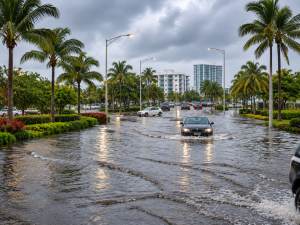
Heavy rain and flooding across South Florida have left many businesses dealing with more than flooded streets and delayed commutes. Areas including Hollywood, Davie, Plantation, Sunrise, Fort Lauderdale, and parts of Miami-Dade have experienced significant rainfall and flooding.
For business owners, the concern doesn't end when the water starts going down. If floodwater reaches an office, it can affect computers, servers, network equipment, phone systems, and other technology businesses depend on every day.
If your workplace has been affected, you may be wondering what to do with your equipment, whether it can still be used, and how to get your business technology back up and running without causing further damage.
Before plugging anything back in or attempting to restart your systems, here are some important steps to take.
1. Put Safety Before Equipment Recovery
Before worrying about computers or network equipment, make sure the office is safe to enter.
Floodwater can create serious electrical hazards, especially when it comes into contact with outlets, extension cords, power strips, server racks, or other electrical equipment. There may also be damaged wiring or standing water near electrical systems that are not immediately visible.
Keep employees away from flooded areas until the building and electrical systems have been assessed by qualified professionals. If water has reached electrical outlets, equipment rooms, or the main electrical panel, do not attempt to inspect or disconnect equipment yourself.
It is understandable to want to save expensive computers and other devices, but recovering equipment should never put anyone at risk. Wait until the area has been declared safe before allowing an IT professional to assess the damage.
2. Do Not Turn On Computers or Other Wet Electronics
One of the most important things to remember after flooding is not to power on equipment that may have been exposed to water.
You might be tempted to check whether a computer still works, especially if it appears dry on the outside. However, moisture can remain inside the device, even after the exterior has dried. Applying power to wet electronics can cause short circuits and additional damage.
This applies to more than desktop computers. Servers, laptops, monitors, printers, network switches, routers, wireless access points, firewalls, and phone system equipment should all be treated carefully if they may have come into contact with floodwater.
Avoid plugging devices in, charging laptops, or attempting to restart equipment until they have been inspected by qualified technicians. Also, don't use a hair dryer, heater, or other direct heat source to dry electronics. These methods can cause further damage.
The safest approach is to leave potentially affected equipment powered off and arrange for a professional inspection before attempting to use it again.
3. Make a List of Damaged IT Equipment
Once the building is safe to enter, start documenting what happened.
Walk through the office and identify equipment that was directly exposed to water, equipment located near flooded areas, and devices that may have been affected by moisture or electrical problems. Take photographs before moving anything, as this documentation may be useful when communicating with your insurance provider.
Your inventory should include computers, laptops, servers, monitors, printers, routers, firewalls, network switches, wireless access points, security camera recorders, and phone system equipment.
It is also worth recording the make, model, serial number, and approximate age of each affected device if that information is available. If you have an existing IT equipment inventory, this will make the process easier.
Don't forget equipment that may be installed out of sight. Network cabinets, communication closets, server rooms, and equipment mounted near floors can all be affected by water. A device doesn't need to be completely submerged to experience damage.
Having a clear record of what was affected will help your IT provider assess the situation, prioritize replacements, and determine which systems need attention first.
4. Have Your Servers and Network Equipment Inspected
Your business network is made up of several connected components, and damage to one device can affect the entire office.
For example, a damaged network switch may prevent multiple employees from accessing the internet or shared business applications. A firewall exposed to moisture could create connectivity and security concerns. A damaged server may affect applications or files stored locally.
This is why it's important to inspect the entire network infrastructure, not just the computers employees use every day.
Have your IT provider assess servers, network switches, routers, firewall appliances, wireless access points, and other connected equipment. They should also check the condition of the network cabinets and the physical connections between devices.
If your business has a dedicated server room or communication closet, pay particular attention to its location and whether water entered the area. Equipment installed close to the floor may be especially vulnerable during flooding.
For businesses planning to replace damaged equipment, this may also be a good opportunity to review the existing network layout and consider improvements to equipment placement and protection.
5. Check Your Network Cabling and Connections
Not all flood damage is immediately visible. Network cables, wall outlets, patch panels, and other connections can be affected when water enters an office.
Even if computers and switches appear to be in good condition, damaged cabling or connectors can cause intermittent connectivity problems once the network is restored.
An IT professional should inspect affected Ethernet connections, patch panels, network cabinets, and cable pathways. Depending on the extent of the flooding, some cables or connections may need to be replaced rather than reused.
This is particularly important for businesses with multiple workstations, wireless access points, security cameras, and other devices that depend on a reliable wired network.
If your office needs new network connections or changes to its existing infrastructure, BizNet Technology can help with structured network cabling services. Having the cabling evaluated as part of the recovery process can help prevent connectivity issues from appearing after employees return to work.
6. Don't Forget Your Security Cameras and Phone Systems
Computers and servers usually get most of the attention after a flood, but other business technology deserves consideration too.
Security camera systems, for example, may include cameras, network video recorders (NVRs), switches, power supplies, and storage devices. If water reaches the recording equipment, your business could lose access to footage even if some of the cameras remain undamaged.
Have the entire system inspected before reconnecting it. Check which components were exposed to water and whether recorded footage is still accessible. Avoid powering on a potentially damaged NVR or camera system just to see if it works.
Your business phone system should also be part of the assessment. Hosted VoIP and Cloud PBX systems may allow employees to continue receiving calls through mobile applications or remote extensions, depending on their configuration and the availability of internet and power.
If your office phone equipment was affected, your provider can help determine which components need attention and whether calls can be redirected while the office is being repaired.
For businesses using Hosted VoIP phone systems, reviewing call forwarding and remote communication options can help customers stay in touch with your team while your physical office is unavailable.
7. Find Out What Can Be Recovered and What Needs Replacing
After the initial inspection, your IT provider can help determine which equipment is suitable for further evaluation and which devices should be replaced.
Water exposure doesn't affect every device in the same way. The type of water, how long the equipment was exposed, whether it was powered on, and how much moisture entered the device can all influence the extent of the damage.
Floodwater can also contain dirt, chemicals, and other contaminants. This makes it especially important not to assume that equipment is safe to reuse simply because it has dried.
Some devices may be suitable for professional repair, while others may be too damaged to return to service reliably. In certain situations, data recovery specialists may need to assess storage devices separately from the rest of the computer or server.
Avoid opening devices or attempting repairs yourself. Let qualified technicians determine the safest next step, particularly when business files, customer information, or other important data may be involved.
8. Restore Your IT Systems in the Right Order
Once damaged equipment has been identified and the building is safe, your business can begin planning its return to normal operations.
Not every device needs to be restored at the same time. Your IT provider should help identify which systems are essential for employees and customers to resume business.
For one company, that might mean restoring internet access, email, and business phone services first. Another business may depend on a local server, specialized software, payment systems, or security equipment.
Before reconnecting equipment, make sure it has been inspected and cleared for use. Replacement devices should also be configured properly, updated, and protected before being connected to the business network.
This is also a good time to review user accounts, remote access, firewall settings, and network connections. If employees have been working remotely or using temporary devices during the closure, make sure those arrangements are reviewed before normal office operations resume.
A managed IT provider can coordinate these steps, help prioritize essential systems, and make sure the network is ready before employees return to their regular workstations.
9. Review How Your Office Can Better Protect Its Technology
Once the immediate situation is under control, take some time to look at how your office equipment was installed and whether it could be better protected.
For example, were network switches and other critical devices installed directly on the floor? Was the server room located in an area particularly vulnerable to water entering the building? Were network cabinets positioned near plumbing or other potential sources of leaks?
These questions can help identify improvements that may reduce the risk of similar problems in the future.
Depending on the building and the equipment involved, improvements might include relocating critical network devices, using suitable equipment cabinets, installing environmental monitoring, reviewing power protection, and improving cable routing.
Businesses should also review their existing managed IT services to understand how equipment is monitored, maintained, and supported when unexpected problems occur.
Flooding is not something every business can prevent, but the way technology is installed and managed can make a difference when water enters the workplace.
Frequently Asked Questions
Can I use a computer after it has been exposed to floodwater?
Not until it has been professionally inspected. Even if the computer appears dry, moisture may remain inside its components. Turning it on too soon can cause additional electrical damage. Floodwater may also leave contaminants inside the device.
Should I unplug electronics after an office flood?
Do not touch or unplug equipment in a flooded area if there may be an electrical hazard. Keep employees away and have qualified electrical professionals assess the area before anyone handles the equipment.
Can a server be repaired after water damage?
Possibly, but it depends on the extent of the exposure, the type of water, and the condition of its components. A qualified technician or data recovery specialist should evaluate the equipment before any attempt is made to power it on or recover information.
Does network cabling need to be replaced after a flood?
Not always. It depends on whether water reached the cables, connectors, outlets, or other network components. An inspection can help determine whether the existing cabling is suitable for continued use or needs replacement.
What should my business replace first after a flood?
Start by identifying the systems your business needs to operate. Internet connectivity, network equipment, computers, phone systems, and specialized business applications may all be important, but the order will depend on your operations. Your IT provider can help establish priorities.
How can my business keep operating while the office is being repaired?
Depending on your existing technology, employees may be able to work remotely using cloud applications, secure remote access, mobile devices, and hosted phone systems. Your IT provider can help assess which services can remain available and how employees can access them securely.
Need Help Assessing Your Office Technology After a Flood?
Recovering from office flooding takes time, and figuring out what to do with your technology can add another layer of stress. The important thing is not to rush the process. A careful inspection can help prevent further damage and make it easier to decide which equipment can be recovered, repaired, or replaced.
BizNet Technology helps businesses in Miami, Broward, and Palm Beach County with managed IT services, network infrastructure, cybersecurity, and business communication solutions. If your office has experienced flooding and you're unsure about the condition of your IT equipment, our team can help assess your technology and identify the next steps toward getting your business connected again.
Contact BizNet Technology to discuss your office IT needs and get your systems back on track or call us at +1 305-256-2024